Screenshots
Learn how to save screenshots to Albo
1
Take a screenshot
Take a screenshot on your device as you normally would.
2
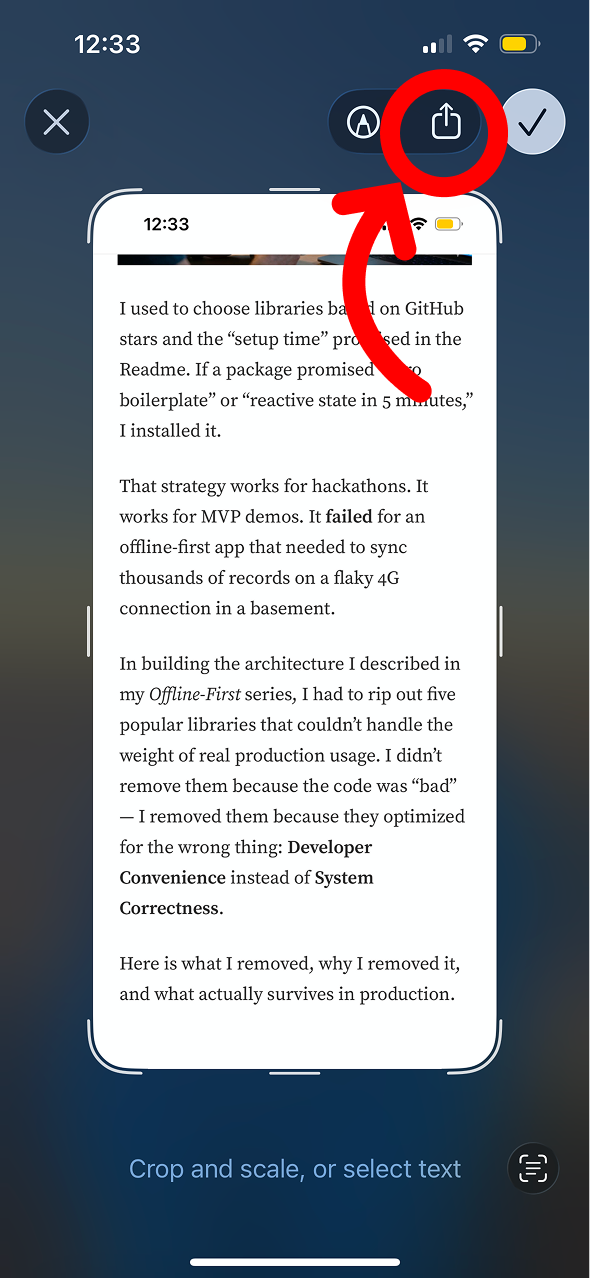
Tap the screenshot preview
Tap the screenshot preview that appears in the bottom-left corner, then tap the share icon.
3
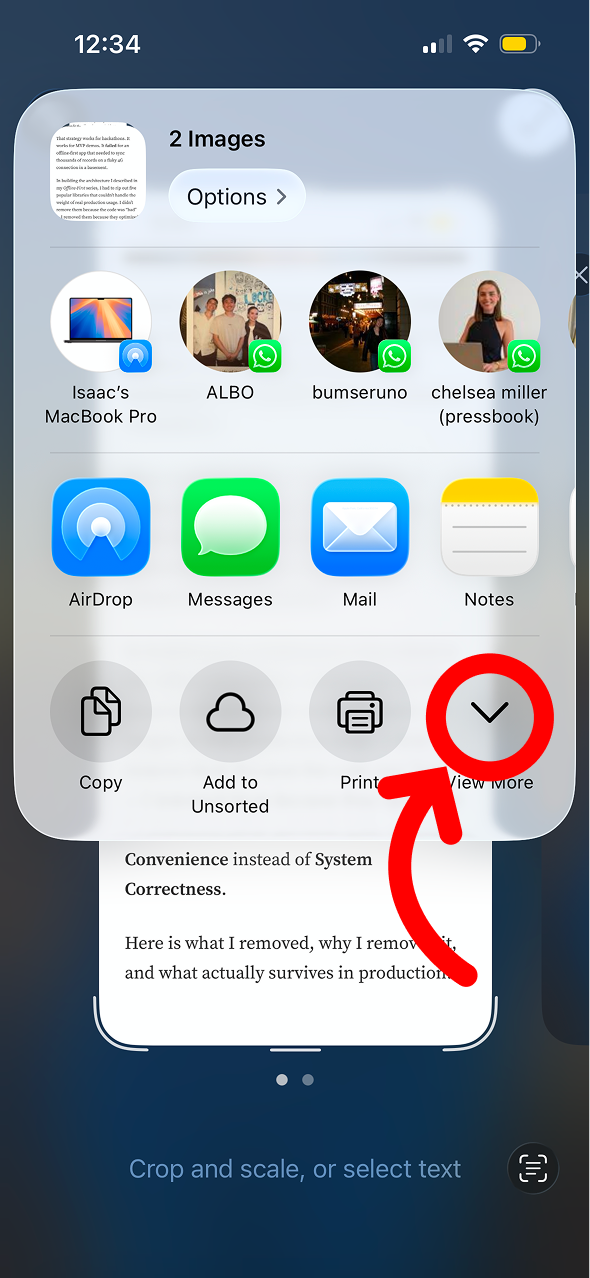
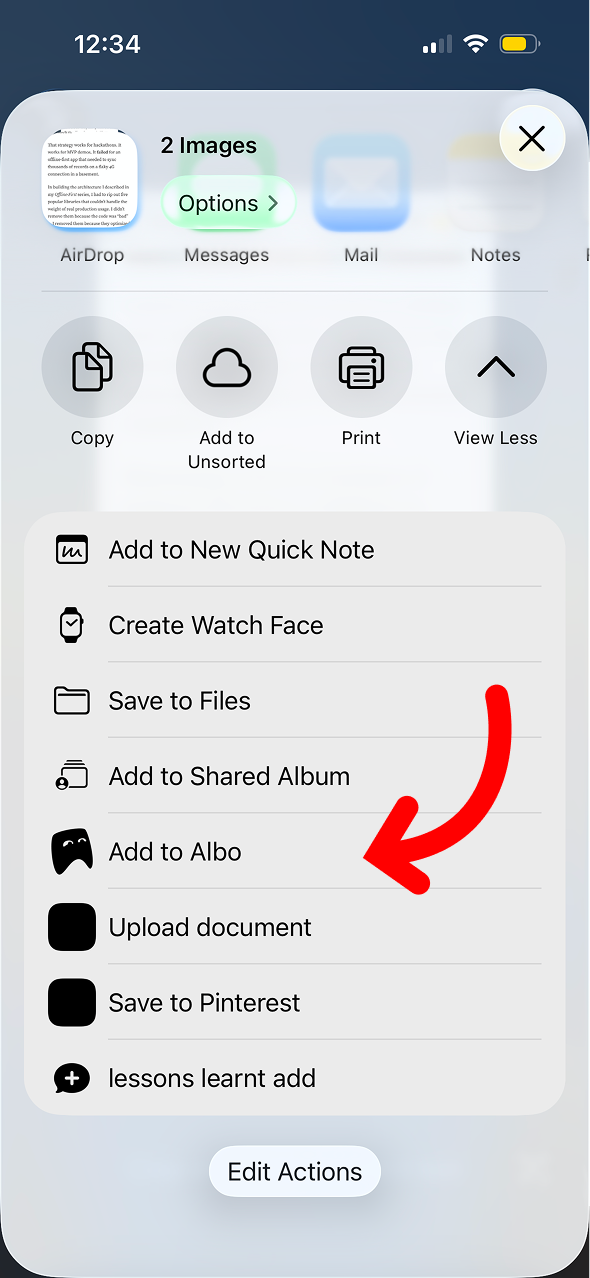
Select Albo
Scroll the share sheet and tap Albo. The screenshot will be saved and Albo will extract relevant details from the image.
Don't have Albo yet?
Download Albo