Learn how to save posts from Facebook to Albo
1
Find the post
Open Facebook and find the post you want to save to Albo.
2
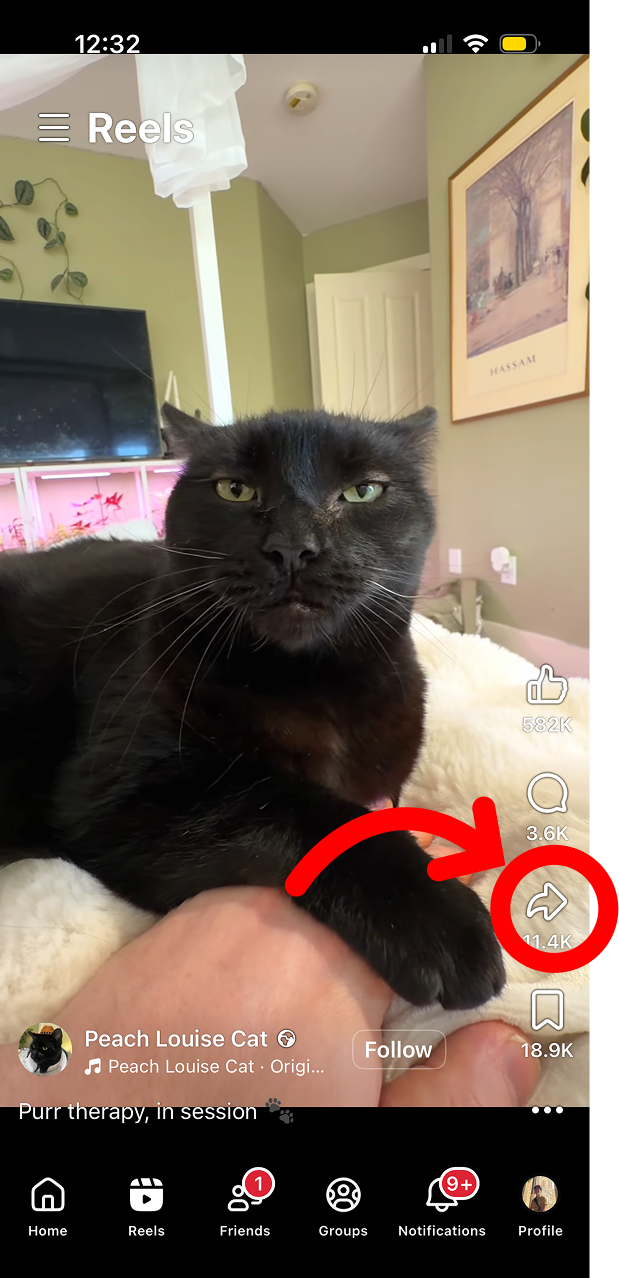
Tap the share icon
Tap the share icon (arrow) below the post, then tap 'Share via' or 'More options' to open the system share sheet.
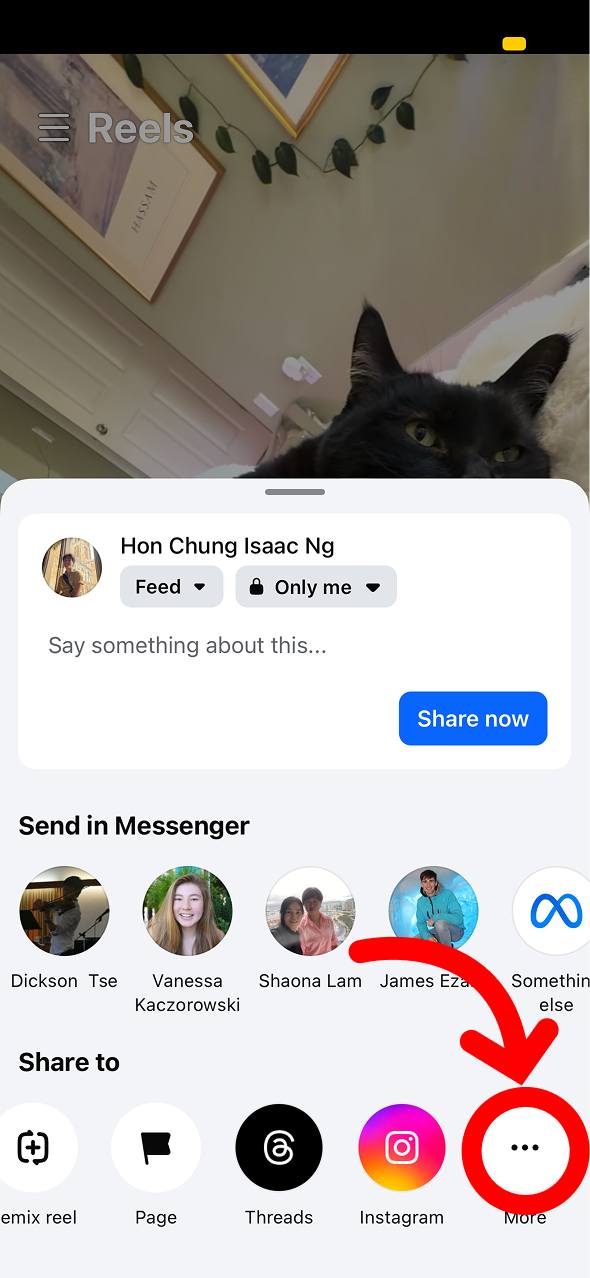
3
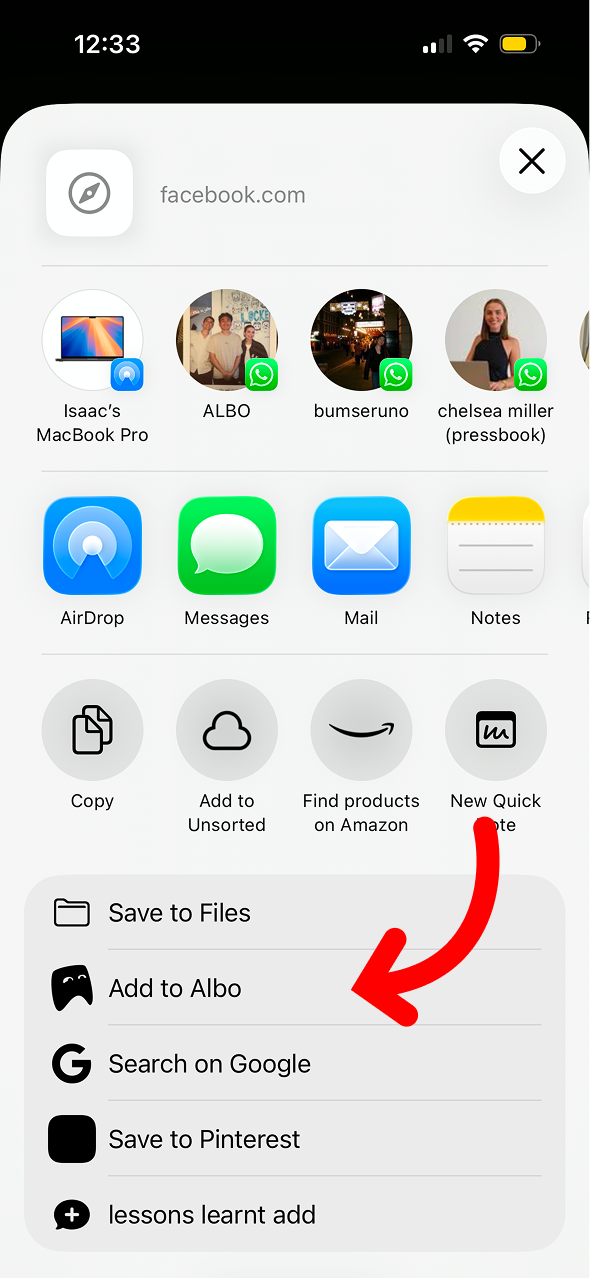
Select Albo
Scroll the share sheet and tap Albo. The post will be saved with its content and any media.
Don't have Albo yet?
Download Albo